
The Decision Was Made This Morning. Now Press the Key.
Two order-entry tools on your chart. Quick Switch changes the ATM under your orders in one click. Quick Trade Pro places the whole order, size and bracket attached, in two. Both are set up once, in calm, so the moment asks nothing of you but the click.
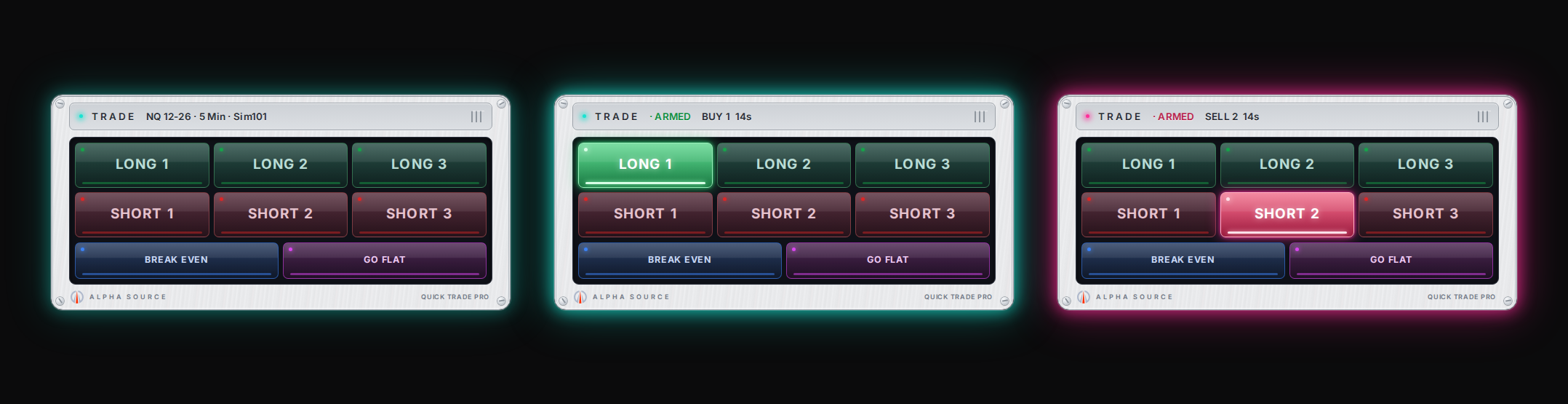
Which One?
They answer two different questions. Most traders end up with the Pro, because it carries the other one inside it.
Change what is around the order
Up to four ATM templates on one row of lit keys. Click one and Chart Trader switches to it. BREAK EVEN and GO FLAT keys sit underneath.
For the trader who places orders their own way and only wants the template right.
Place the order itself
Six presets, each with its own quantity and ATM. Arm one, click the price, it is in with the bracket on it. Preflight refuses bad orders. BREAK EVEN and GO FLAT keys under the pad. Quick Switch is built in.
For the trader who wants size decided before the open and nothing to type during it.
Quick Trade Pro. Size Up or Down. 2 Clicks.
Six pre-set orders live on your chart. Arm one, click the price you want, and it goes in with its own quantity and ATM already attached — no ticket, no typing, no deciding size while the market moves.
- Arm a preset. The key lights and the whole chart outlines itself, so a live pad is impossible to miss.
- Click your price. Above the market it becomes a stop, below it a limit — worked out from the live bid and ask.
- It is in, with the bracket on it. The frame turns green for a long, red for a short, and switches off the moment you are flat.
- Two exit keys under the pad. BREAK EVEN moves your working stop to your entry once price is past it. GO FLAT closes the position on that instrument and cancels its working orders. One press each, and you choose their colours.
- Preflight refuses bad orders. Stale quote, wrong account, size over your cap, a click too far from the market — declined, with the reason. It ships allowing Sim101 only until you add an account by name.
The mindset: Size decided in calm, executed under pressure. The plan makes the call; you press the key.
Quick Switch included ($177 value). Alpha Flow is sold separately. One-time payment. Two machines. Free updates for version 1. All sales final.
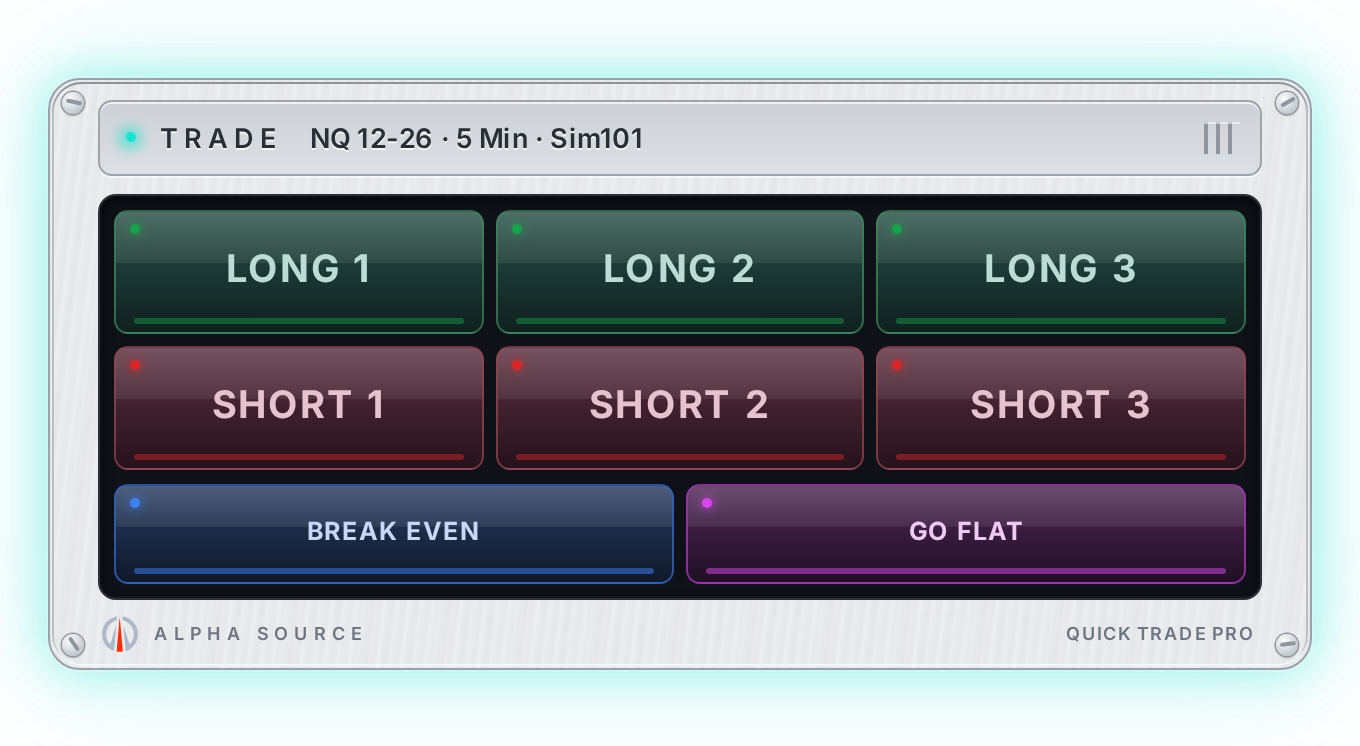
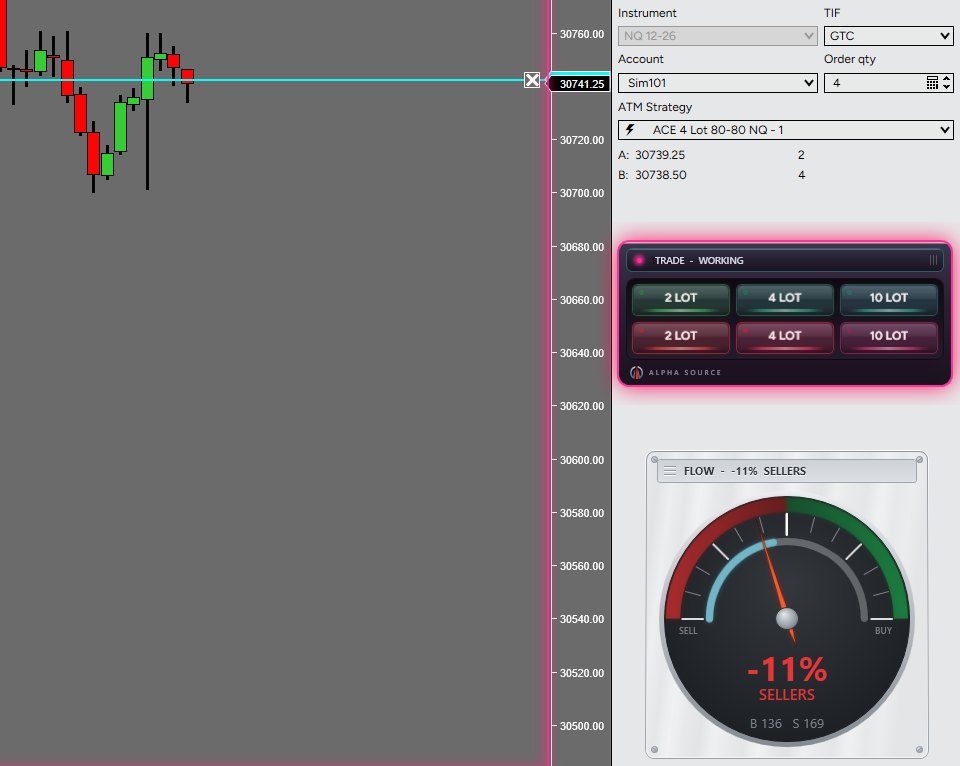
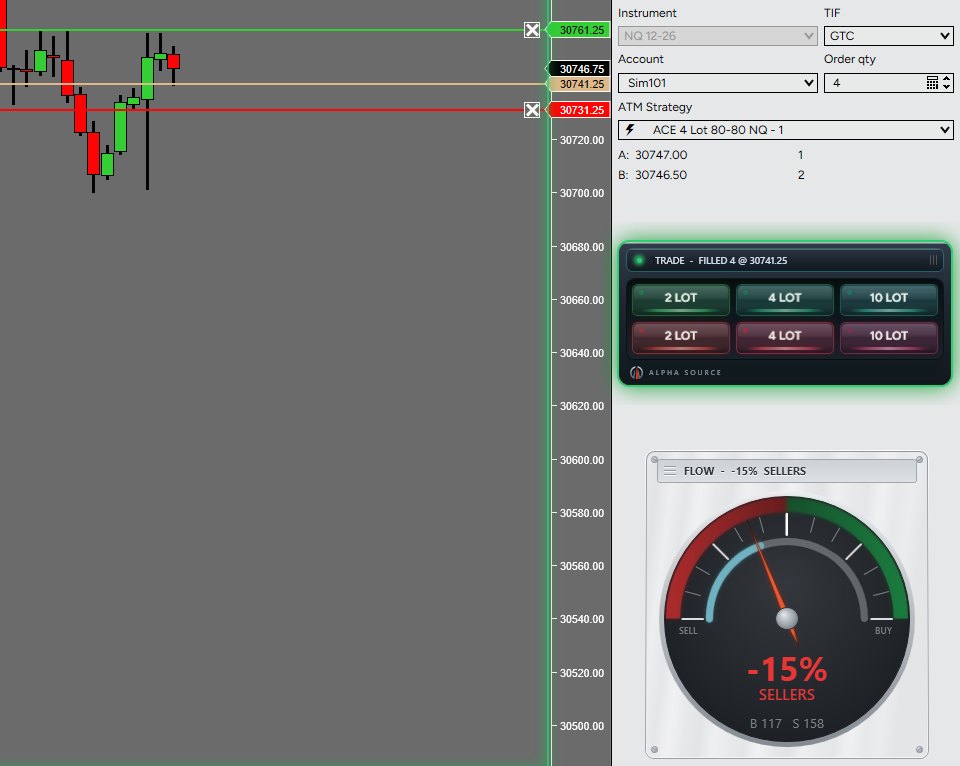
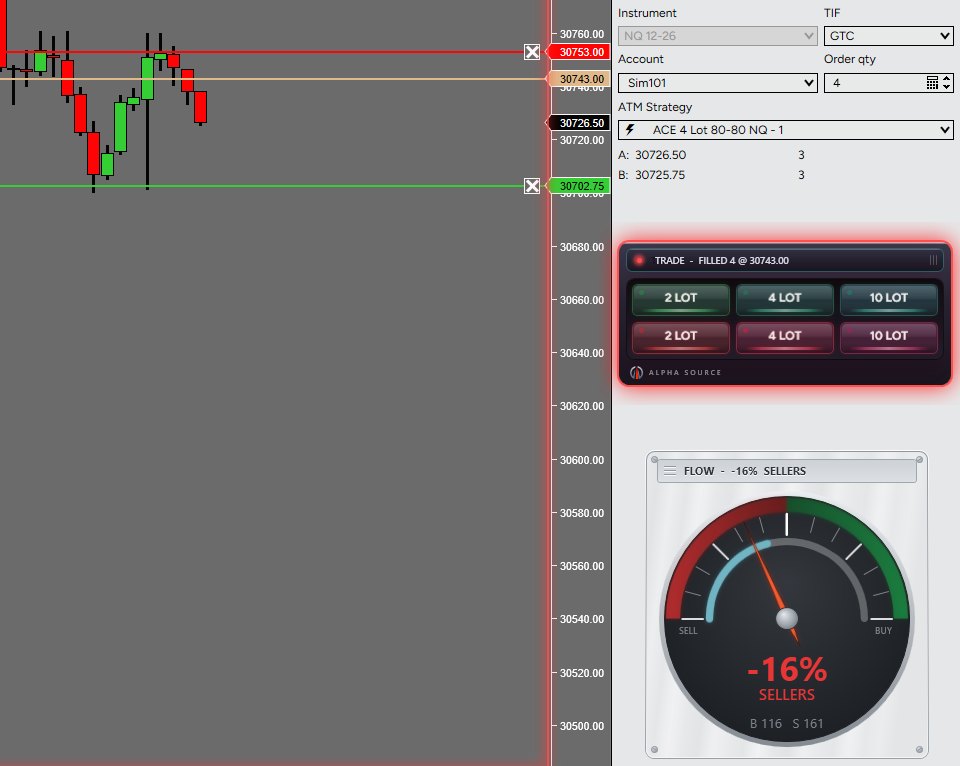
Screenshots from the founder’s own NinjaTrader session on a simulated (Sim101) account, cropped to show the tool. They illustrate how Quick Trade Pro and Alpha Flow look and behave; they are not a record of trading results. No profit is implied or guaranteed, and simulated trading does not reflect live fills, slippage or the pressure of real money. Futures trading involves substantial risk of loss. Tap an image to see it full size.
Quick Switch. Change Your ATM on the Fly.
It doesn't place the order the way Quick Trade Pro does; it gets everything around the order right, on the fly. Your ATM templates sit on one row of lit keys on the chart. Click one and Chart Trader switches to it. The lit key is always the one selected, so you see what you are about to trade with before you trade with it.
- The wrong template is a silent error. Nothing warns you that you are still on the scalp ATM from the morning — until the stop comes in far tighter than the trade needed.
- Size with the conditions. Scale up to the runner template when the market deserves it, drop back to the scalp when it doesn't — one click, no menus.
- Up to four templates, each with its own label and colour. Dock it on the chart or float it on a second monitor. The ATM keys never place an order.
- BREAK EVEN and GO FLAT, one press each. BREAK EVEN moves your working stop to your entry once price is past it. GO FLAT closes the position on that instrument and cancels its working orders. They are the only two keys on the panel that touch an order.
The mindset: The right template is chosen before the moment, so the moment asks only one thing of you: execute.
One-time payment. Two machines. Free updates for version 1. All sales final. Buying Quick Trade Pro? Quick Switch is built in — you don't need both.
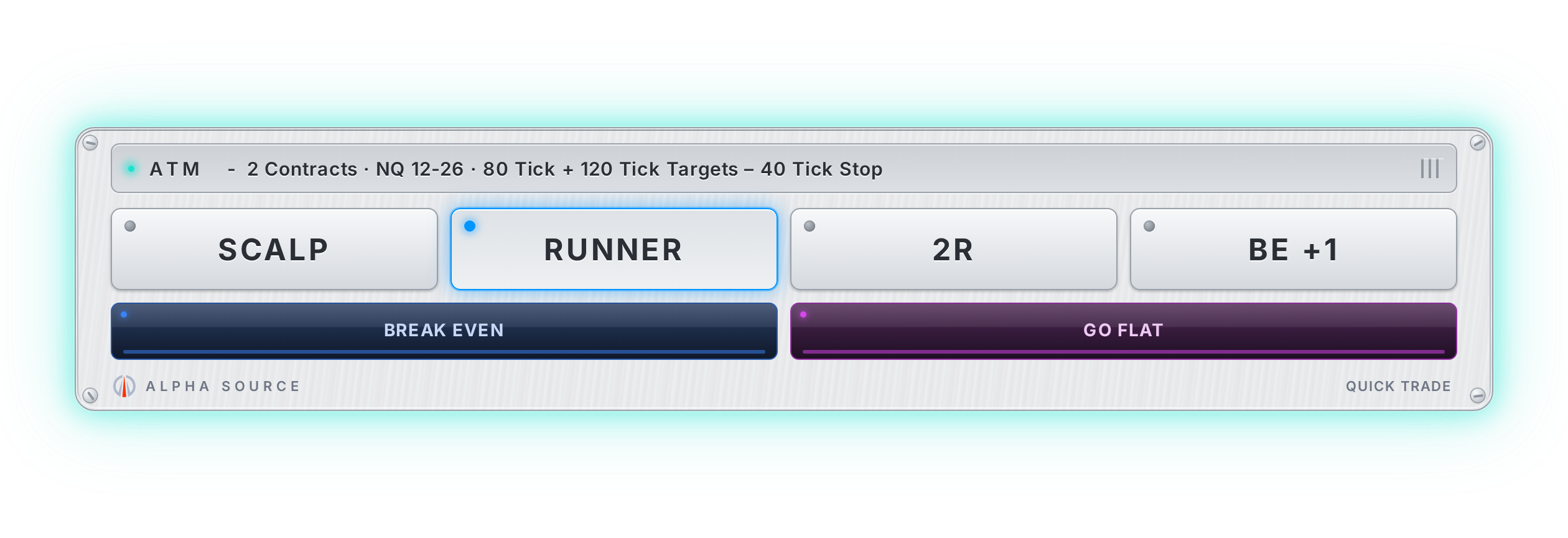
Four ATM keys · the lit one is live · exit keys underneath
One Key. Two Machines. No Passwords.
Register once and your license key covers every tool you own — desktop and laptop. Sign in with a link we email you; there is no password to lose. Everything you buy is delivered to your Vault, and you can download it again whenever you need to while your license is active. Replace a machine and release the old seat yourself from your Vault, no email to us. If our server is ever unreachable, your tools keep working for ten days on their last check.
Register
Name and email. The key lands in your inbox.
Install
Import the add-on in NinjaTrader, paste the key once.
Add Tools
Buy later with the same email and the key simply unlocks more.
Start With the Free Journal.
The Key Is Your Account.
The Journal, free, open in seconds — and your key comes with it. Every tool unlocks on that same key the moment you add it.